
Ship software faster from the terminal.
Run Claude, Gemini, Codex, Cursor, and your shell side by side in one focused desktop workspace.
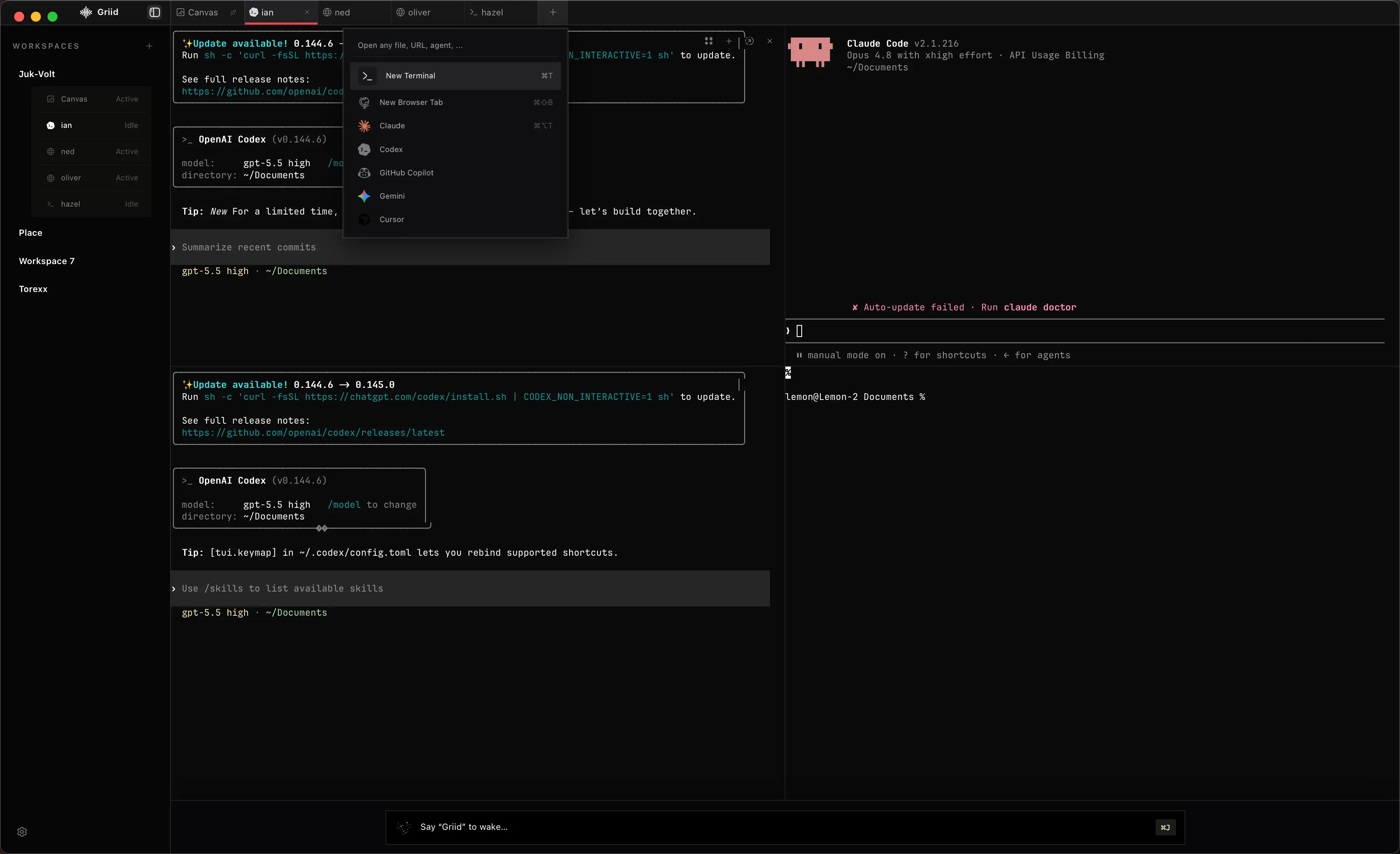
One workspace for the whole build loop.
Keep your existing CLIs and subscriptions. Griid gives them a shared place to work without hiding the terminal underneath.
Run every agent side by side
Open Claude, Codex, Gemini, Cursor, OpenCode, and native terminals in the same project workspace.
Shape the workspace around the task
Split, resize, move, and pin panes so implementation, tests, logs, and research stay visible together.
Route work without breaking focus
Send tasks to a specific agent from one command bar, or use voice when your hands are already in the code.
Keep durable workspace context
Give agents access to project decisions, preferences, and next steps through workspace-scoped MCP memory.
Bring the agent CLIs you already use
6+
Agents. One focused workspace.
Use your existing subscriptions and configurations while Griid keeps every session visible and within reach.
FAQ
Frequently asked questions
The essentials about running your agents and terminal workflows in Griid.
Griid is a desktop workspace for running coding agents and terminal sessions side by side. It keeps implementation, tests, logs, and research visible in one focused interface.
Griid works with Claude Code, Codex, Gemini, Cursor, OpenCode, and your native shell, using the CLI tools already installed on your machine.
No. Griid launches your existing CLI binaries, so you continue using the accounts, subscriptions, models, and configuration you already have.
Griid runs your agent CLIs from the project directories you choose. Your code follows the access and privacy behavior of those installed tools rather than passing through a separate Griid model service.
Griid is currently available for macOS. Use either download button on this page to get the latest release.